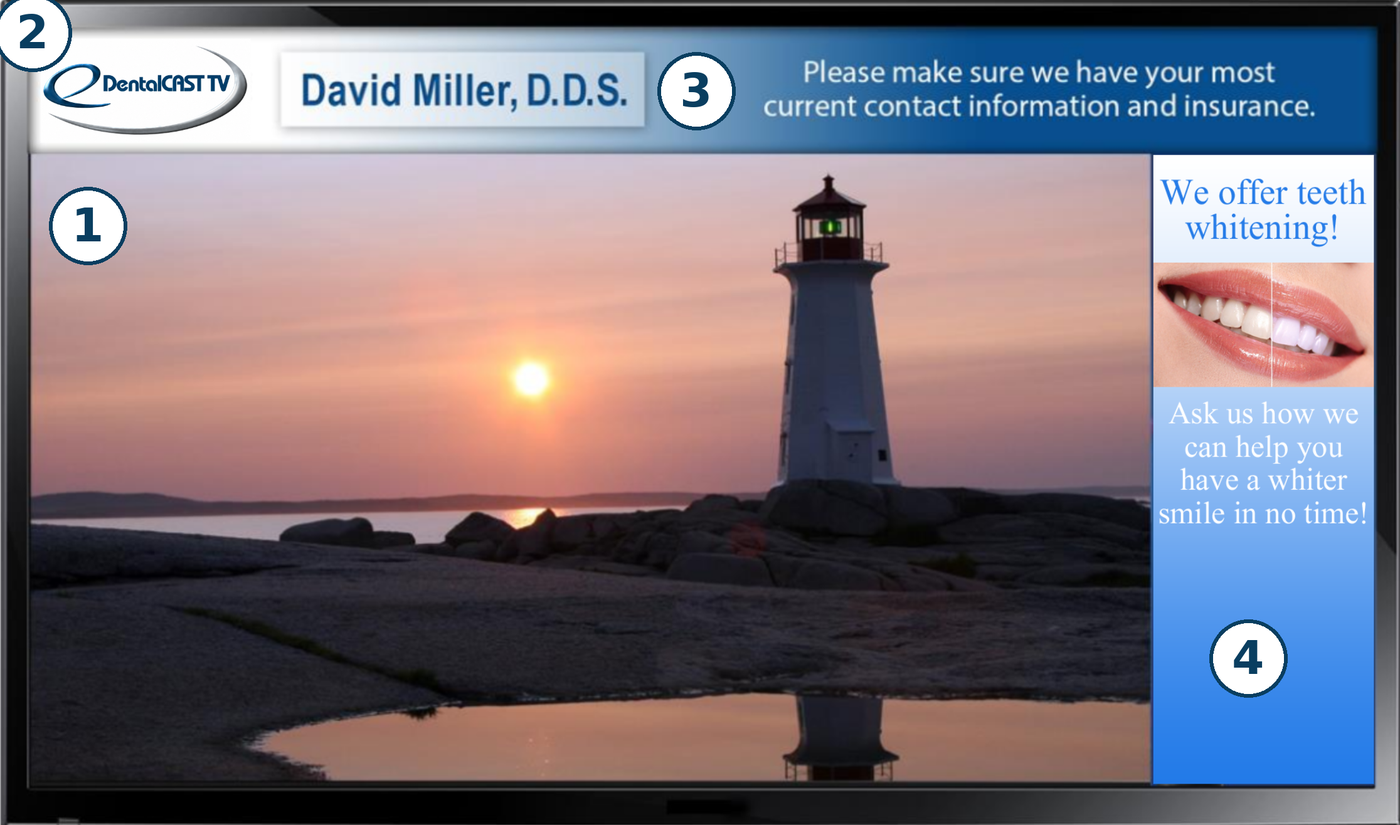
Relaxing, therapeutic programming brought to you by eScapes.
2. Branding Zone
This is the area where your logo will be placed.
3. Live Text Zone
You can just insert your own messages any time using this area.
4. Advertising Zone
Use this space to advertise products, services, and special offers.
Setup
Installation and Connection
Three easy steps to connect your new DentalCAST TV
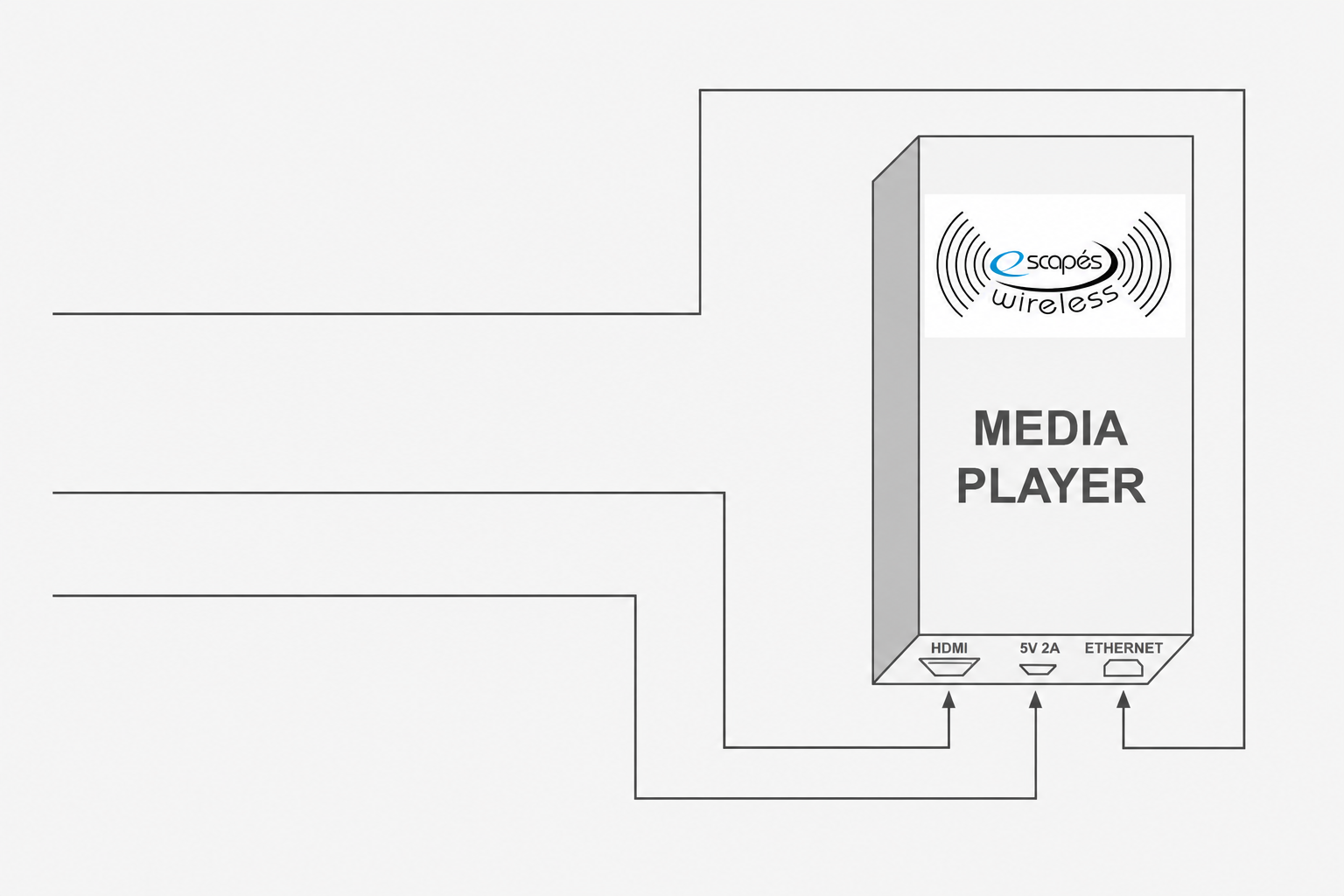
Easily connect your Media Player
1. Plug Ethernet cable into Media Player and Plug Ethernet cable into an Ethernet port on your Network box. 2. Plug HDMI Cable into Media Player. 3. Plug Power Cable into Media Player.
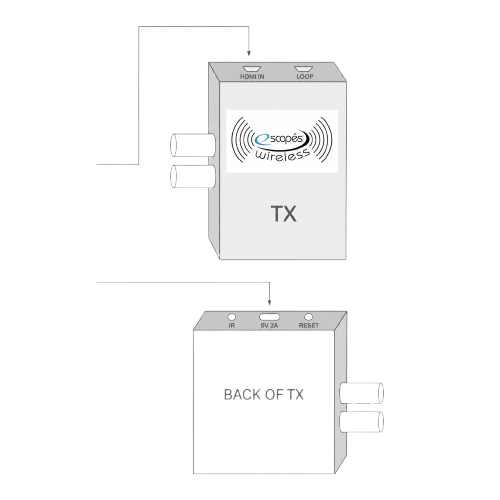
Easily connect your Transmitter
4. Plug other end of HDMI Cable into eScapes Wireless Transmitter (TX). 5. Plug Power Cable into Transmitter. 6. Plug both power blocks into a power strip and Plug Power Cables into Power Blocks. 7. Lights will be visible on the Media Player and back of Transmitter.
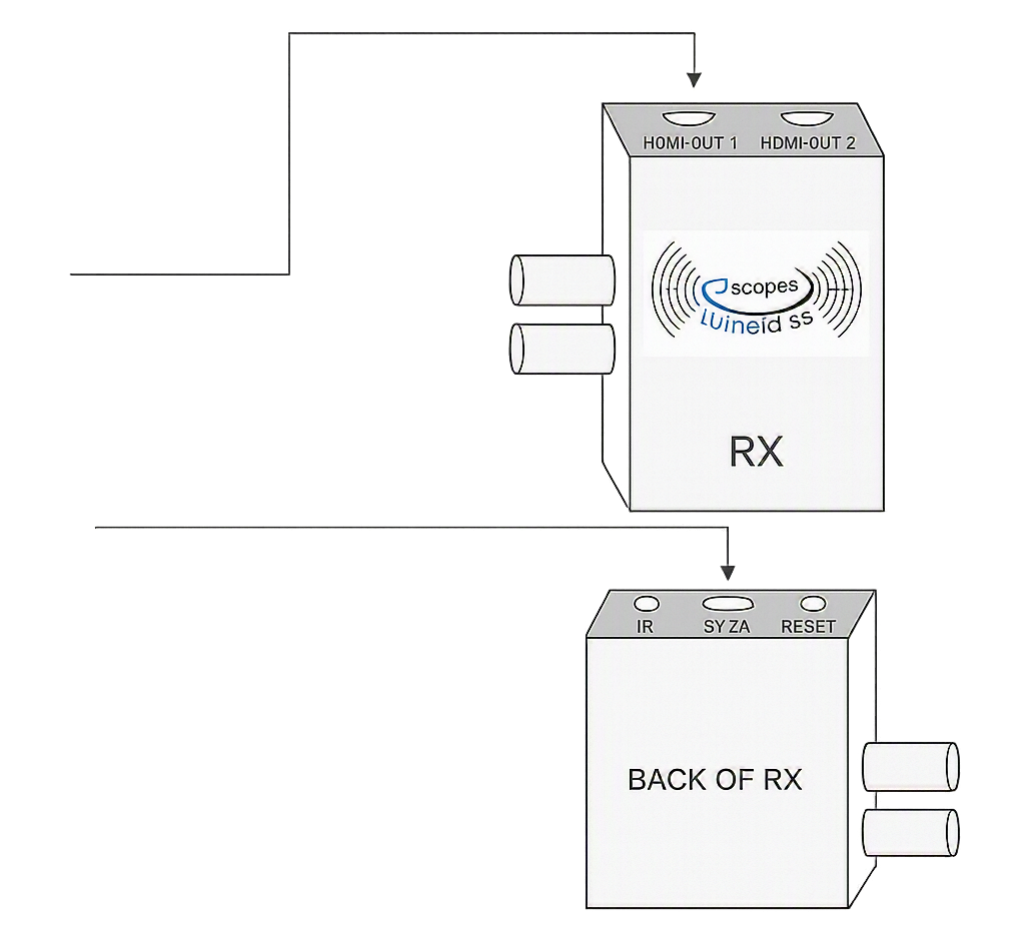
Easily connect Receivers to Your Televisions
8. Plug HDMI Cable into eScapes Wireless HDMI OUT 1 HDMI OUT 2 Receiver (RX) and HDMI into your TV. 9. Plug Power Cable into Receiver and Plug power block into outlet. 10. Light will be visible on back of Receiver. 11. Check Input on TV to make sure proper input is chosen.